Deposit Money into Pocket Option in 2026: Beginner-Friendly Funding Guide

Depositing money into your Pocket Option account is a simple and beginner-friendly process that lets you start trading quickly. The platform supports multiple funding methods, giving traders flexibility when adding funds to their accounts.
In this guide, you’ll learn how to deposit money into Pocket Option step by step, explore the available payment options, and understand important details like fees and processing times so you can fund your account smoothly and begin trading with confidence.

Overview of Pocket Option Deposit - Step by Step
Depositing funds into your trading account on Pocket Option is designed to be simple, fast, and accessible for traders around the world. The platform supports multiple payment methods, offers low minimum deposit requirements, and usually processes transactions quickly so users can start trading without long delays.
Available Deposit Methods
Pocket Option provides a wide range of funding options to accommodate traders in different regions. Common deposit methods include:
-
Credit and debit cards (Visa, Mastercard, and local cards)
-
Cryptocurrencies such as Bitcoin or USDT
-
E-wallets like Skrill, Payeer, WebMoney, or Perfect Money
-
Bank transfers and other regional payment gateways
The availability of these methods may vary depending on the user’s country and the payment providers supported in that region.
#1 Open the Authorized Pocket Option Website
Your first task is to access the authorized Pocket Option website. Always double-check the web address before entering any personal data to protect yourself from phishing or imitation platforms.
The Pocket Option website is designed with a clean and organized structure so that new users can easily locate important functions.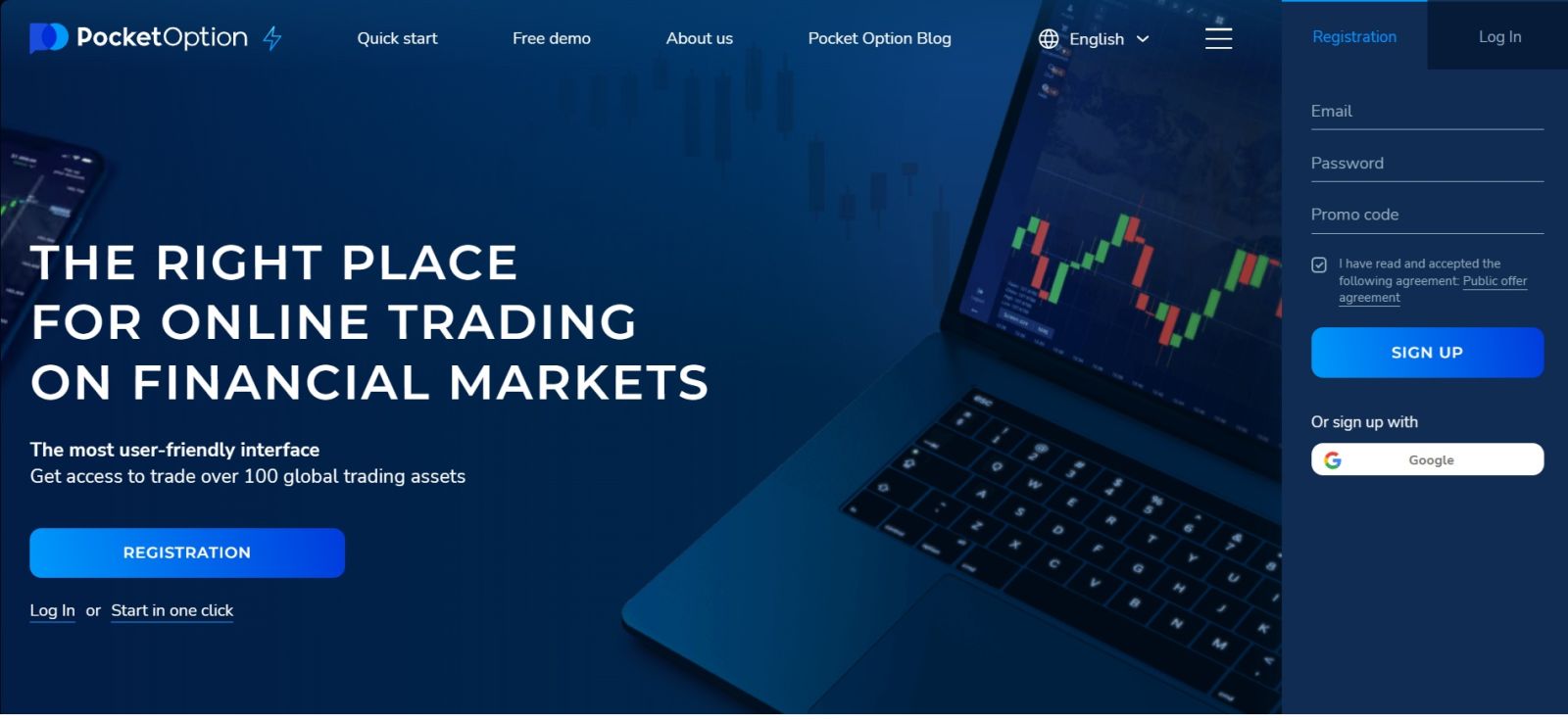
#2 Navigate to the Deposit Section
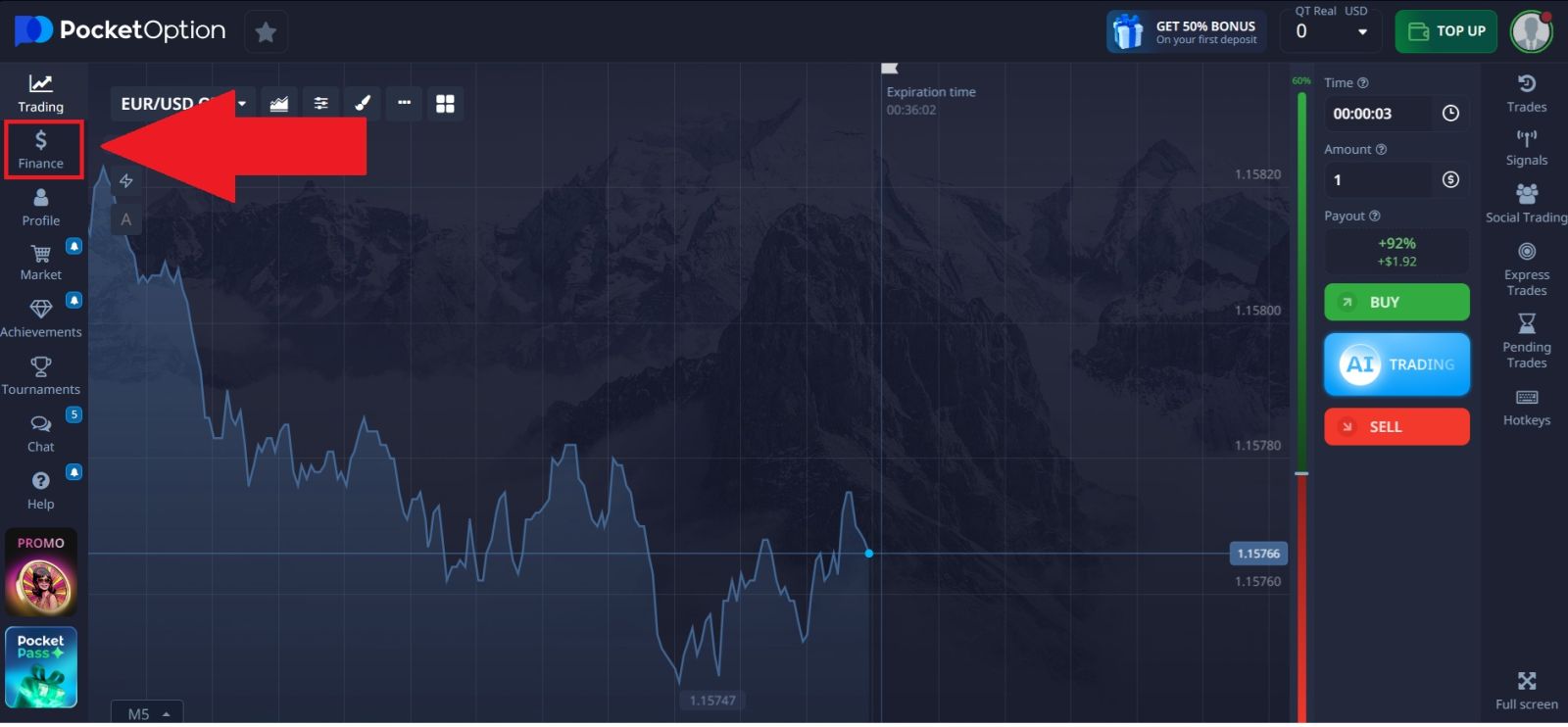
After signing in successfully, you will be inside your personal dashboard.
To proceed with funding:
- Locate the [Finance] button.
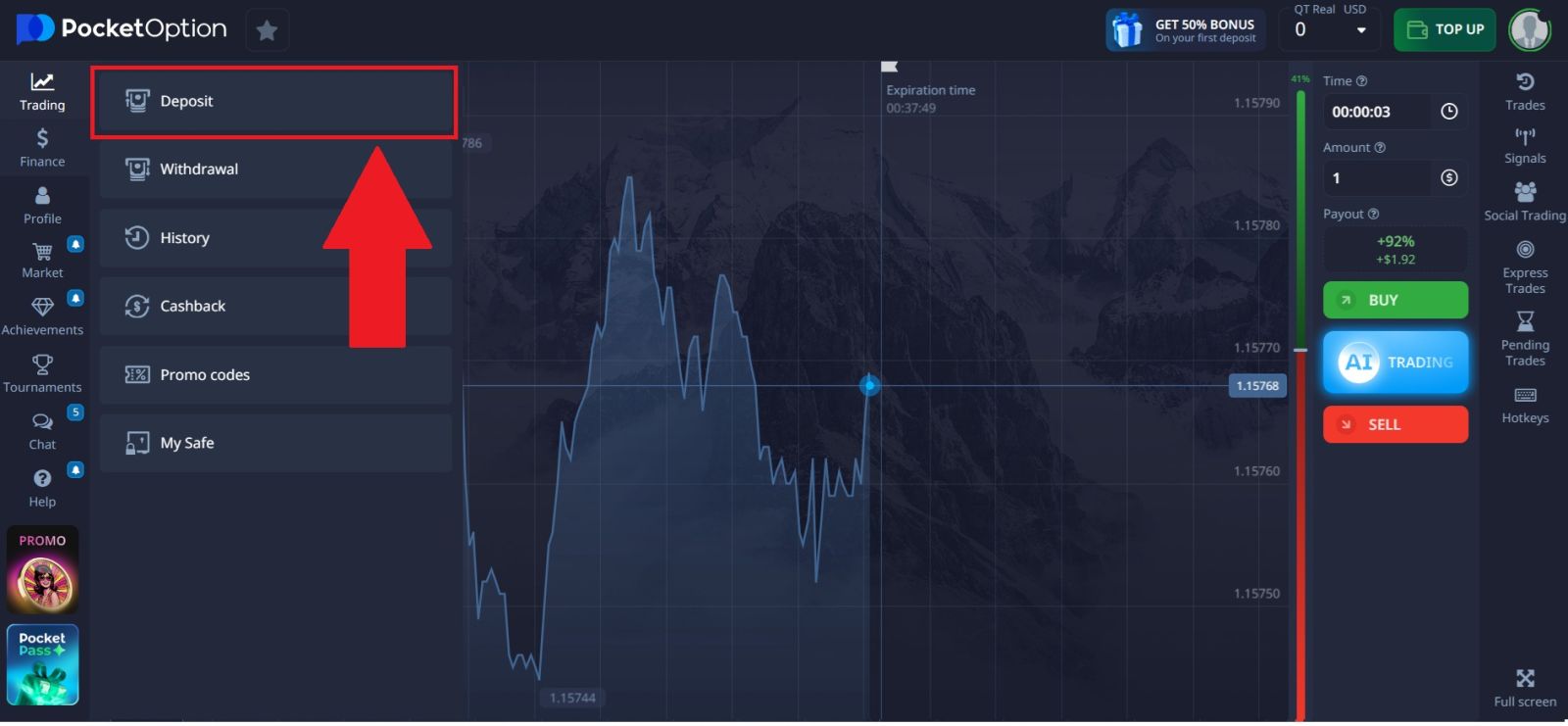
- Select [Deposit] to enter the funding center
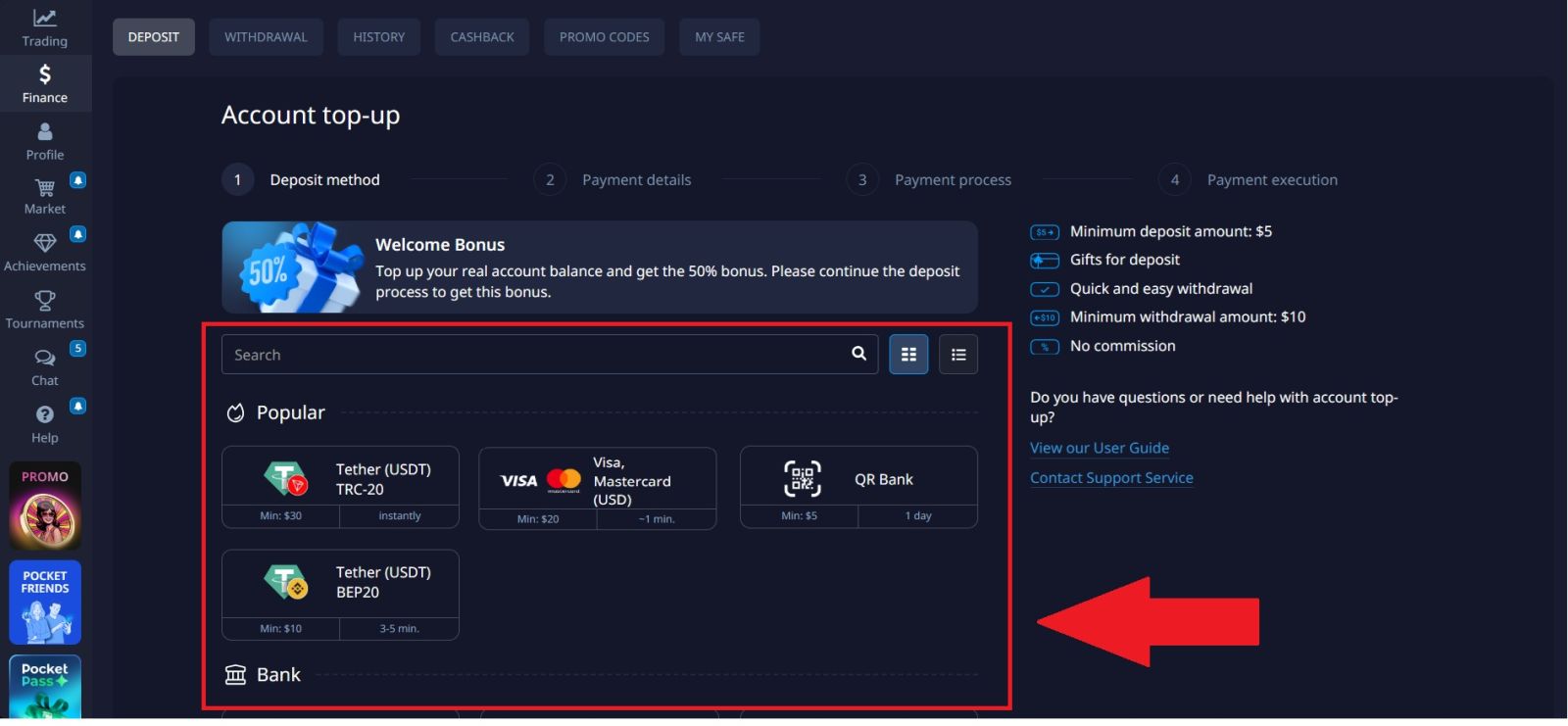
- Review the list of available payment methods.
- Check minimum deposit requirements and currencies.
This area is dedicated to managing all financial operations related to adding money to your trading account.
#3 Select Your Deposit Method
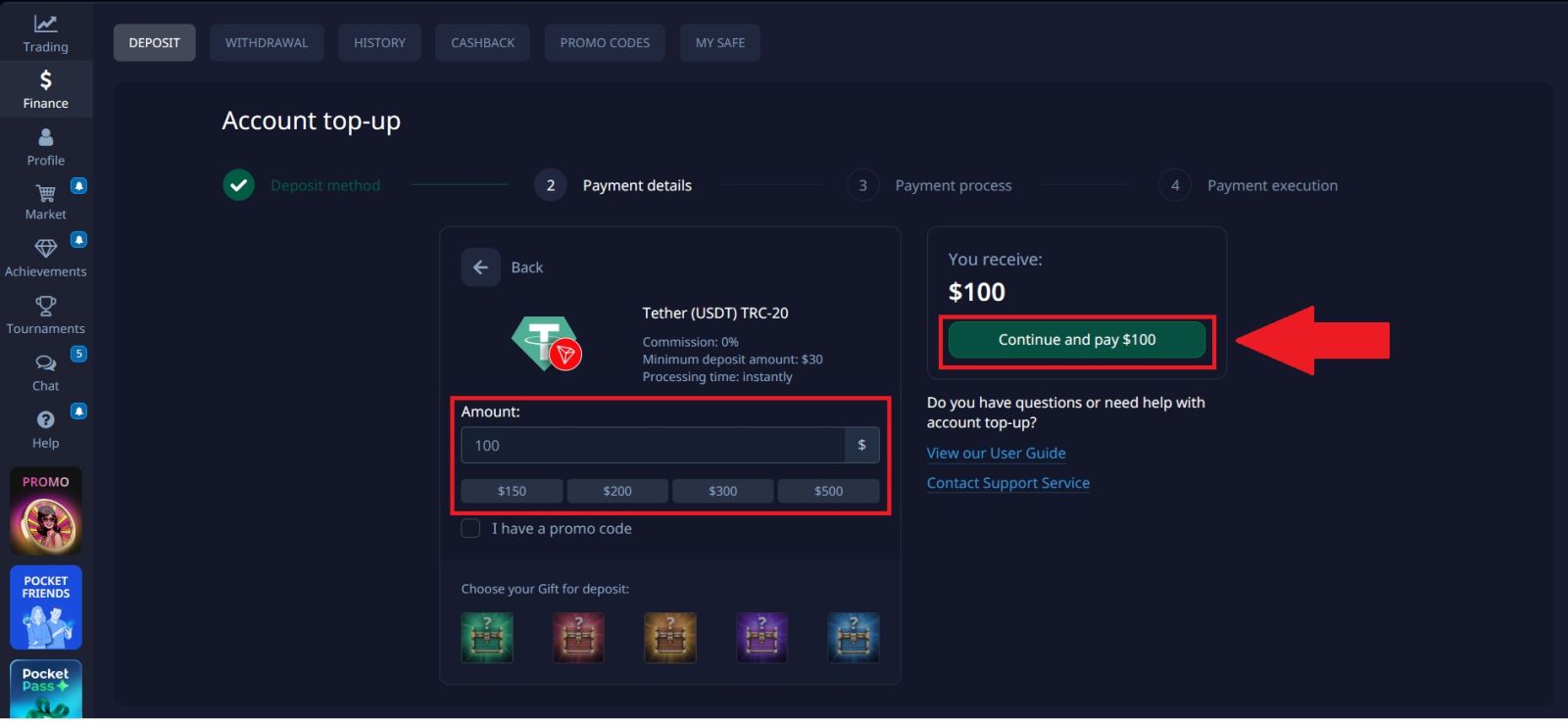
Pocket Option allows users to fund their accounts using several cryptocurrencies. To proceed with a crypto deposit, select the deposit method that you want to use, enter the amount and click on [Continue and pay].
In this example, the TRC20 network is selected because it is commonly used for its fast processing time and low transaction fees.
#4 Complete the Payment Process
To finish your deposit on Pocket Option, follow the instructions shown on the payment page.
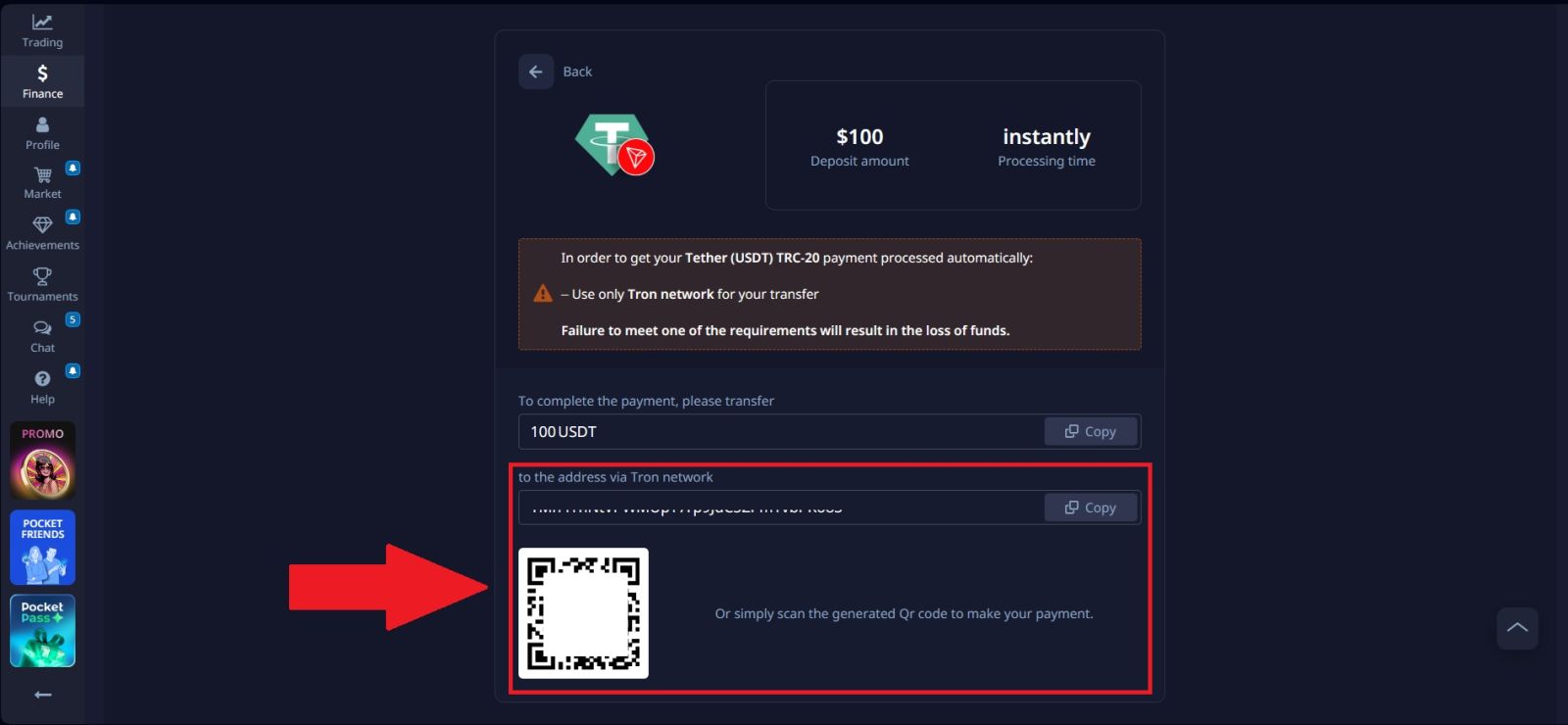
- Copy the Deposit Address: Click the [Copy] icon to copy the wallet address provided by the platform. You can also use the QR code if you prefer to scan it with your crypto wallet.
- Send Funds from Your External Wallet: Open your cryptocurrency wallet or the platform where your funds are stored. Paste the copied address (or scan the QR code) and enter the amount you want to transfer.
- Confirm the Transaction: Review the transaction details and confirm the withdrawal from your external wallet.
After the transaction is processed and confirmed on the blockchain, the funds will be credited to your Pocket Option account. You can then check your account wallet balance to see the updated deposit.
Conclusion: Fund Your Pocket Option Account Easily and Securely
Depositing money into your Pocket Option account is a simple and beginner-friendly process that allows you to start trading without complications. By selecting a suitable payment method and following the deposit steps carefully, you can ensure your funds are added quickly and securely.
With multiple payment options and efficient processing, Pocket Option makes it convenient to fund your account and focus on exploring trading opportunities with confidence.