Pocket Option Verification Guide 2026: How to Confirm Your Identity and Unlock Withdrawals

Verifying your Pocket Option account is an important step to secure your profile and unlock full platform features, including smooth and unrestricted withdrawals. The identity confirmation process is straightforward and designed to protect both your account and your funds.
In this guide, you’ll learn how to complete Pocket Option verification, what documents are required, and how to finish the process quickly so you can trade confidently and withdraw your earnings without issues.

Verify Your Pocket Option Account Overview
The account verification process on Pocket Option usually includes confirming your email address and, when required, verifying your identity, residential address, and payment details. Once these steps are completed successfully, users gain full access to all features available on the platform.
Why Is Verification Necessary?
Verification is required for traders who want to use the platform without restrictions. This procedure serves several important purposes:
1. Account Security
Verification helps protect user accounts by preventing fraud and blocking unauthorized access.
2. Compliance with Regulations
The platform follows KYC (Know Your Customer) and AML (Anti-Money Laundering) standards, which require financial services to verify the identity and personal information of their users.
3. Full Platform Access
After completing verification, users can withdraw funds, increase transaction limits, and access all trading features offered on the platform.
Step-by-Step to Complete the Verification on Pocket Option
Step 1: Navigate to The Official Pocket Option Site
Begin by navigating to the Pocket Option Website. Ensure you are accessing the correct site to avoid phishing attempts. The Pocket Option Website will provide a clear and user-friendly interface, guiding you to the registration page.
Step 2: Personal Infomation Verification
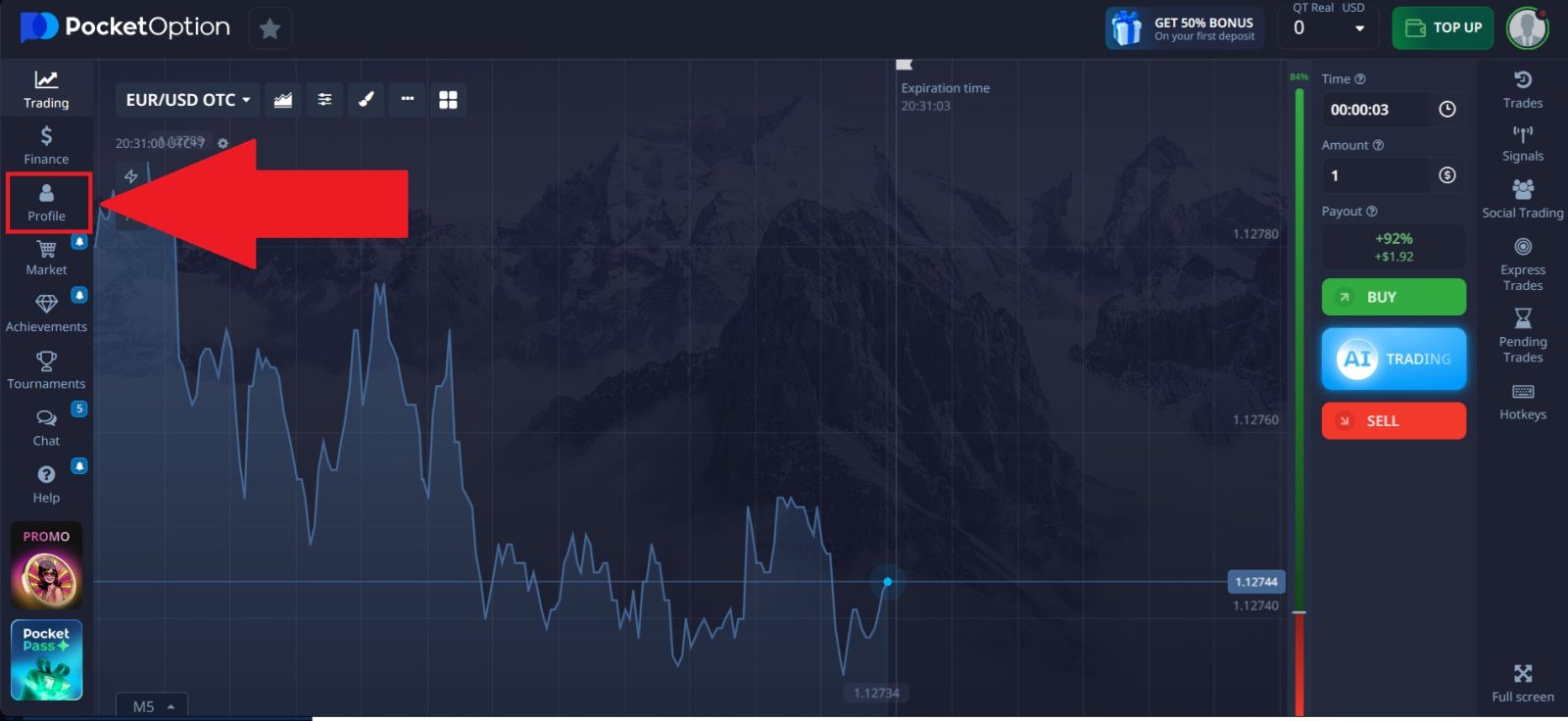
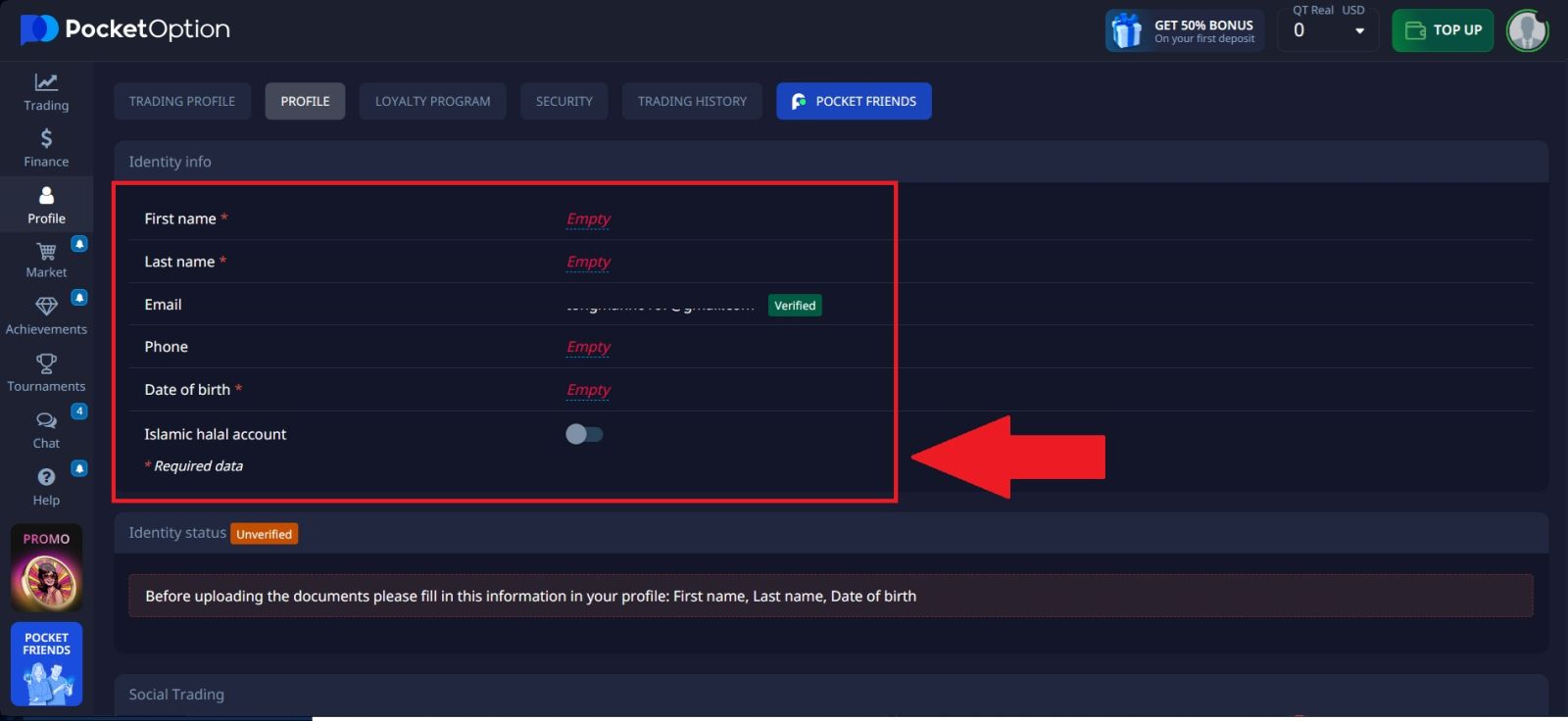
Go to the Profile section of your Pocket Option account, where you will need to enter your personal information.
Provide the following details:
- First and last name
- Email address
- Phone number
- Date of birth
Step 3: Identity Information Verification
Select your country of residence and click Confirm to proceed with the identity verification process on Pocket Option.
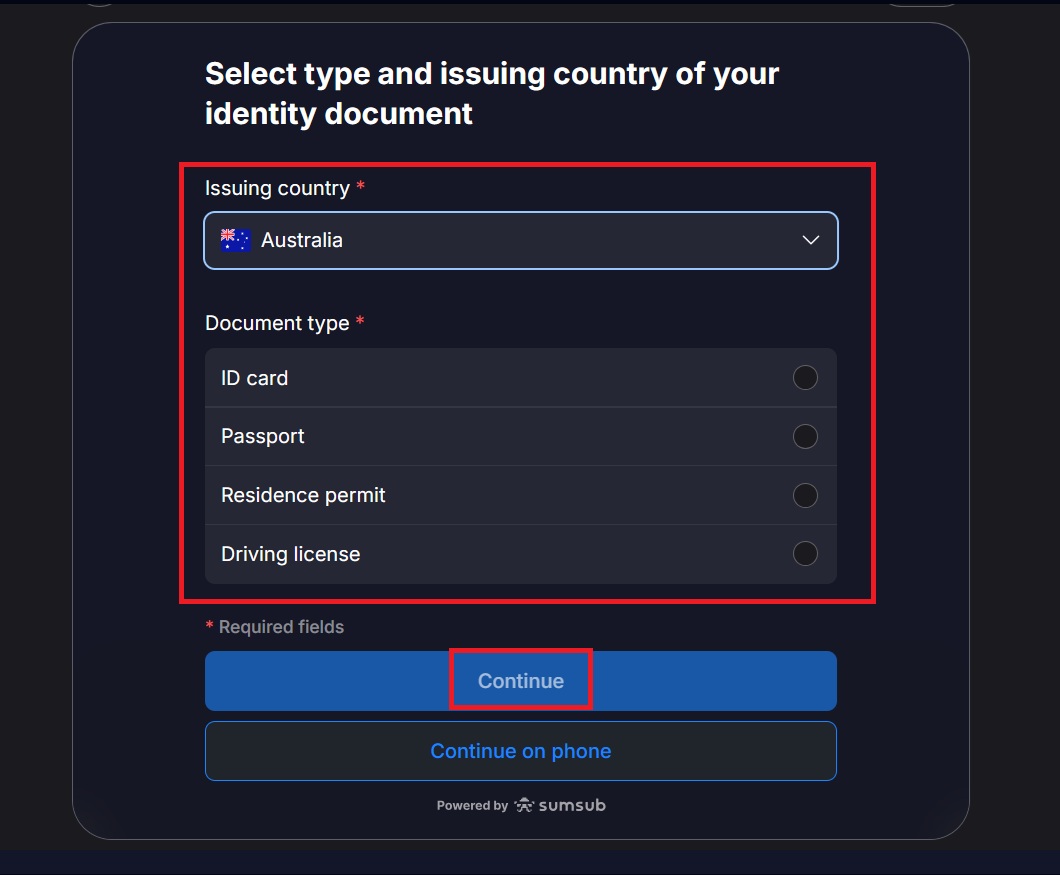
Next, choose the issuing country of your identification document and select the type of document you want to submit (such as a passport, national ID card, or driver’s license). Upload clear images of the required document when prompted.
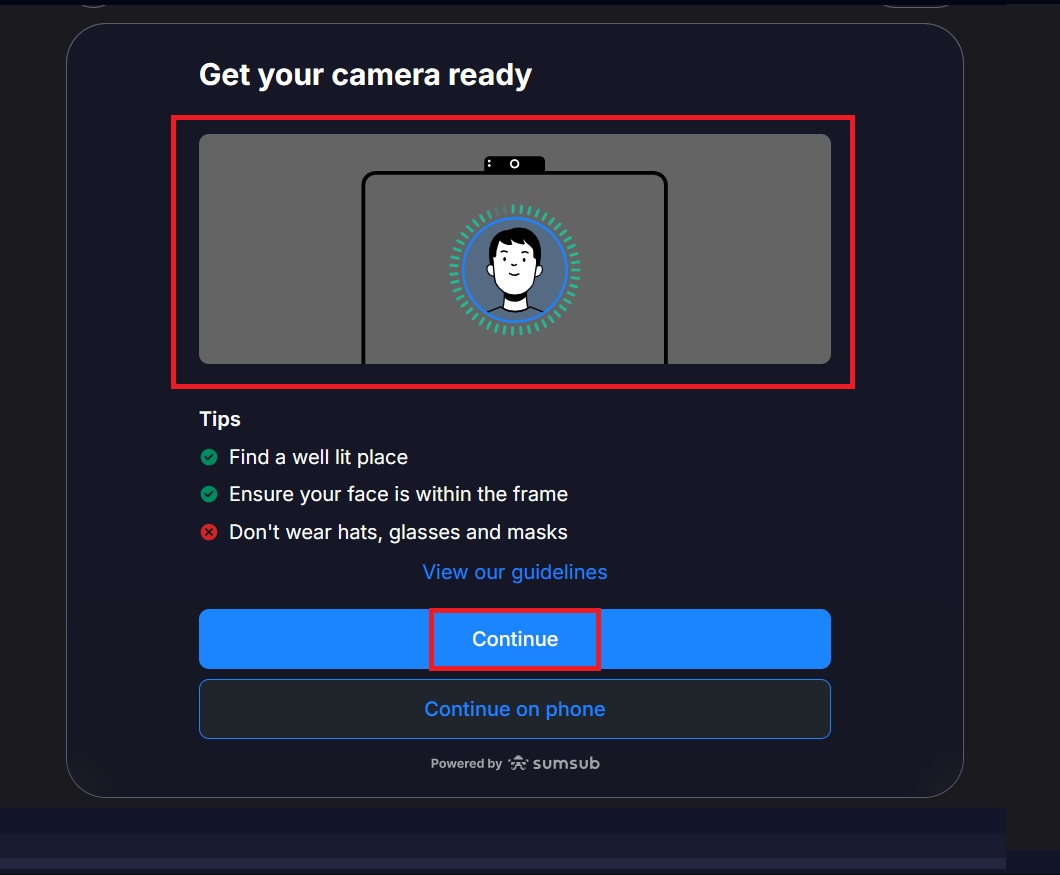
After the document upload is complete, prepare your camera for the facial verification step. Follow the on-screen instructions to scan your face, which will finalize the Pocket Option verification process.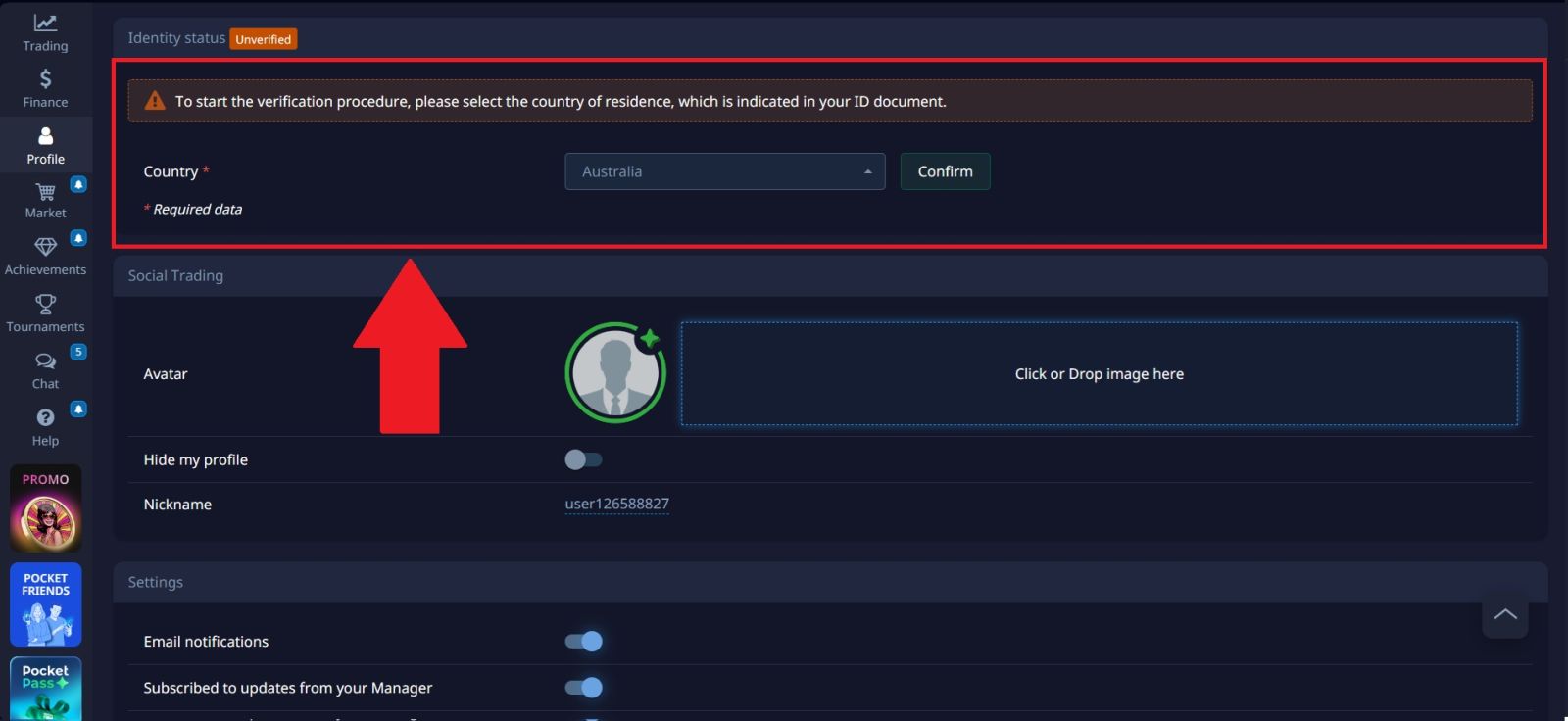
Step 4: Verification Completed
After completing these steps, your verification process on Pocket Option will be successfully finished. Once approved, you will gain full access to all account features, including deposits, withdrawals, and unrestricted trading.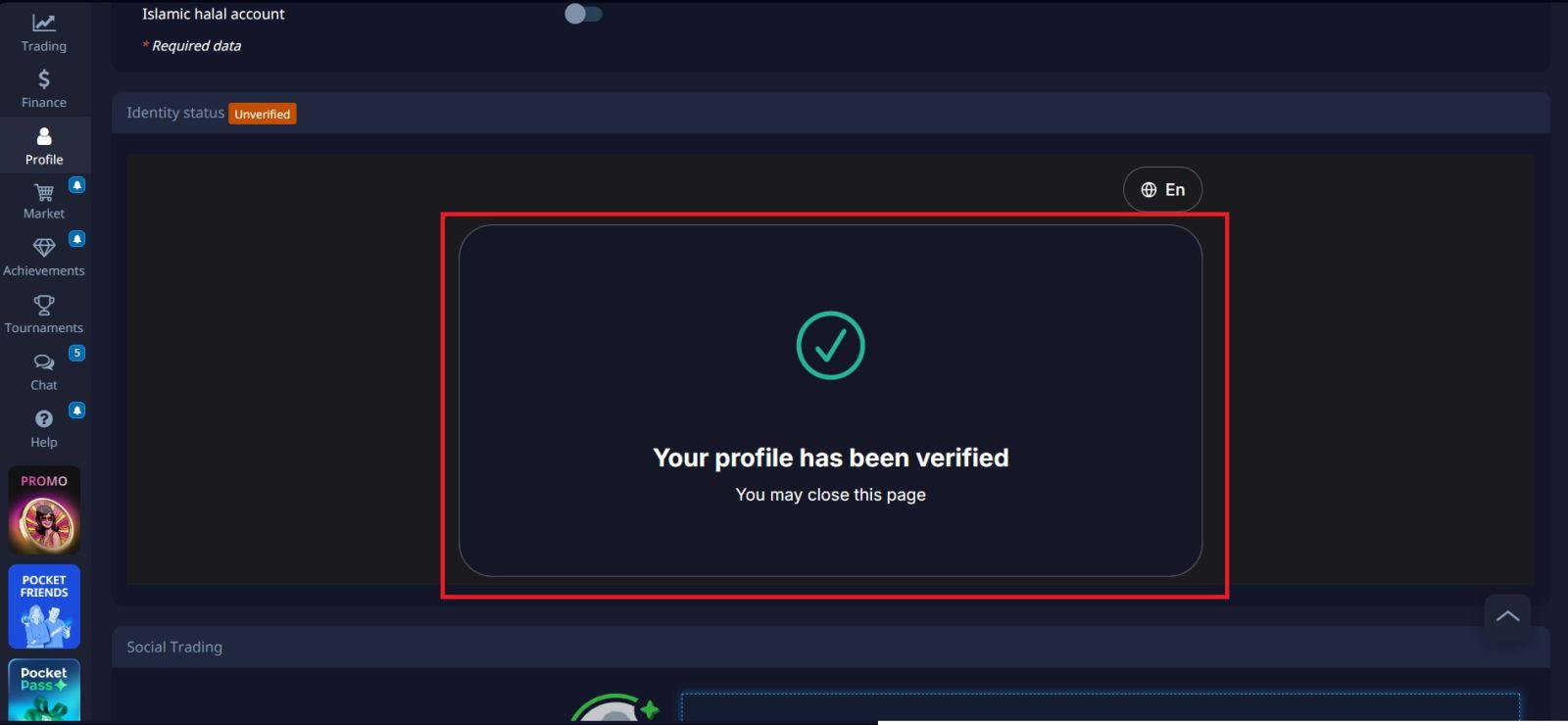
Conclusion: Complete Your Pocket Option Verification with Confidence
Verifying your Pocket Option account is an important step to ensure secure trading and unlock full platform features, including withdrawals. By completing the identity confirmation process and submitting the required documents correctly, you can avoid delays and keep your account fully functional.A verified account not only enhances security but also allows smoother transactions and greater trust in your trading activities. Once the verification process is complete, you can use Pocket Option with confidence and peace of mind.