Pocket Option Registration 2026: How to Create an Account and Get Started Step by Step

Creating a Pocket Option account is the first step to accessing one of the most widely used digital options trading platforms in 2026. The registration process is fast, beginner-friendly, and designed to get you started within minutes.
However, many users still face issues such as incorrect account details, weak passwords, or incomplete setup, which can later affect verification, deposits, and withdrawals.
In this guide, you’ll learn how to register on Pocket Option step by step, understand the basic requirements, avoid common mistakes, and discover what to do after creating your account to start trading smoothly and securely.
👉 Start with the complete Pocket Option system: Pocket Option Full Guide
📌 What You Need Before Registering
Before creating your Pocket Option account, it’s important to prepare a few basic things to avoid issues later:
- A valid and accessible email address
- A strong and secure password
- Stable internet connection
- Correct personal information (name, country)
Providing accurate details from the beginning will help you avoid verification problems and withdrawal delays in the future.
🧾 Registration Requirements
Pocket Option keeps the registration process simple, but there are still a few requirements:
- Email registration is required
- Password creation is mandatory
- Country selection may be needed
- Email confirmation is recommended
- Demo account access is available immediately
Unlike many platforms, you don’t need full identity verification during registration, which makes it fast for beginners to get started.
🪜 How to Register on Pocket Option Step by Step
Step 1: Access the Official Website
Begin by navigating to the Pocket Option Website. Ensure you are accessing the correct site to avoid phishing attempts. The Pocket Option Website will provide a clear and user-friendly interface, guiding you to the registration page.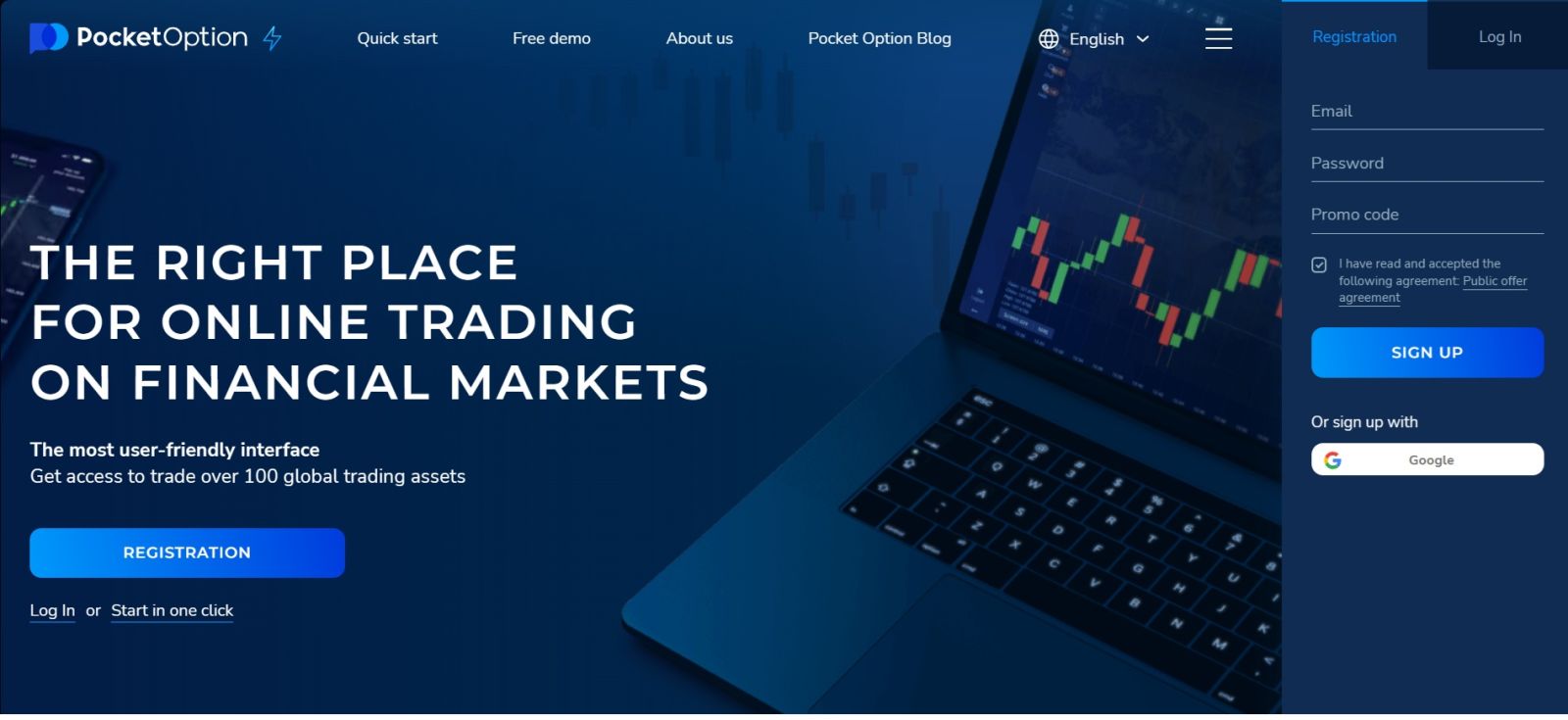
Step 2: Open the Registration Form
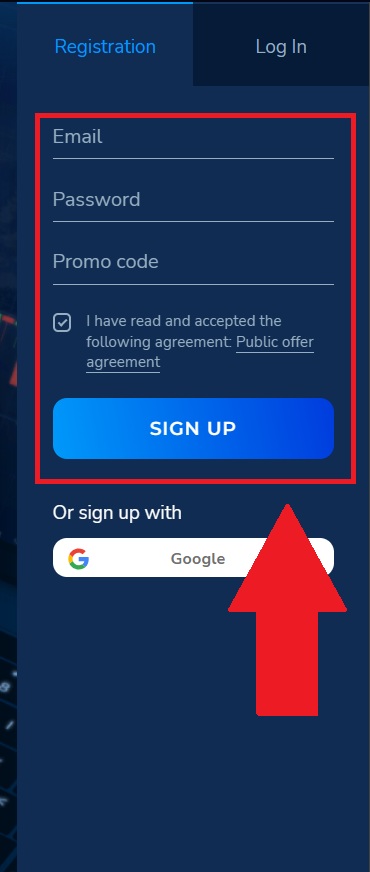
When registering with your email, the registration form will ask you to provide basic personal information to create your account. You need to enter a valid email address that will be used for account communication and input a secure password.After carefully reviewing the information, tick the required confirmation box to agree to the terms and conditions, then click on the “Sign Up” button.
Step 3: Complete Account Creation
After submitting the form:
- Your account will be created instantly
- You can access your dashboard immediately
- A confirmation email may be sent to verify your account
At this stage, your account is active, but not fully set up for trading yet.
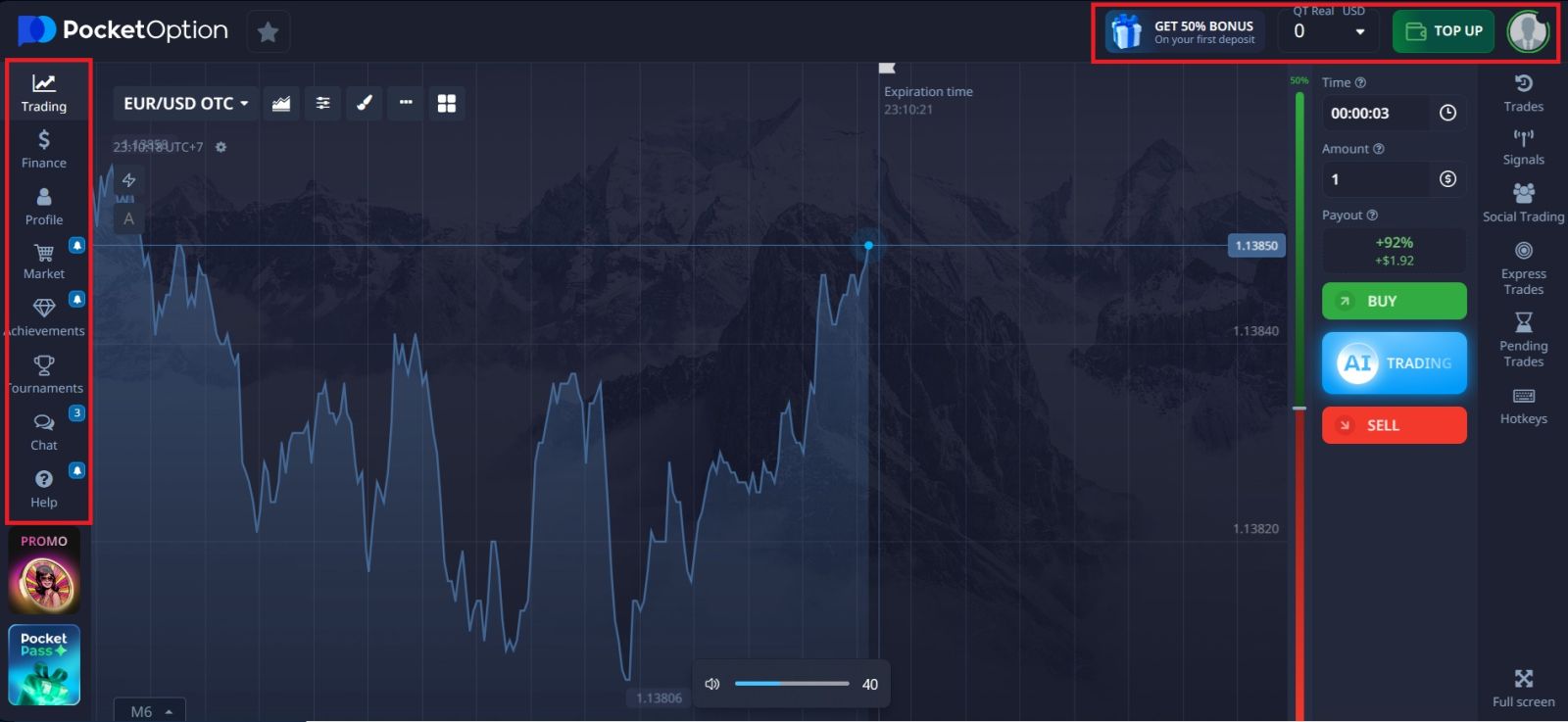
Step 4: Start your Trading Journey at Pocket Option
Once registration is completed, you will gain access to your personal Pocket Option account, where you can:
- Manage profile and security settings
- Choose between demo or real trading mode
- Explore available trading instruments
- Proceed with account verification
- Prepare to deposit funds
At this point, you are fully registered and ready to begin your trading journey with Pocket Option.
🔄 What to Do After Registration
After creating your Pocket Option account, the setup process is not fully complete yet. To use the platform smoothly, you should continue with the following steps:
- 👉 Log in to your account and explore your dashboard
- 👉 Verify your identity to unlock withdrawals
- 👉Deposit funds to start real trading
- 👉 Learn how to trade before using real money
Following this sequence ensures your account is fully functional and optimized for trading.
⚠️ Common Registration Mistakes to Avoid
Many users experience issues later because of simple mistakes during registration:
- Using an incorrect or temporary email address
- Creating a weak password
- Entering mismatched personal details
- Skipping email confirmation
- Ignoring account setup after registration
Avoiding these mistakes will save time and prevent problems during verification or withdrawal.
🔐 Is Pocket Option Registration Safe?
Pocket Option registration is generally safe when completed through the official website.
To protect your account:
- Always verify the correct domain
- Use a strong password
- Do not share your login details
- Avoid logging in on public or unsecured devices
Registering with accurate information also helps prevent account restrictions and ensures smoother transactions later.
💡 Is Pocket Option Registration Free?
Yes, creating a Pocket Option account is completely free.
You can also access a demo account immediately after registration, allowing you to practice trading with virtual funds before depositing real money.
This makes it a beginner-friendly platform for learning and testing strategies.
🎯 Conclusion: Start Your Pocket Option Journey the Right Way
Registering on Pocket Option is quick, simple, and accessible for both beginners and experienced traders. By following the correct steps and entering accurate information, you can create your account without any issues.
However, registration is only the first step. To fully unlock the platform, you should complete verification, fund your account, and understand how trading works before using real money.
Taking the time to set up your account properly will help you trade more confidently and avoid unnecessary problems later.
👉 Next step after registration: How to log in to Pocket Option
👉 Or explore everything here: Pocket Option Full Guide